官方 Official 需审批 Needs approval

SCM(Screen Memories)— 用一句话搜本机照片和视频 SCM (Screen Memories) — search local photos and video in plain words

SCM (Screen Memories) — search local photos and video in plain words

用一句话搜本机照片,也能跳到视频里的那一帧。 Search local photos, and jump to the matching moment inside a video.

SCM(Screen Memories)— 用一句话搜本机照片和视频 预览
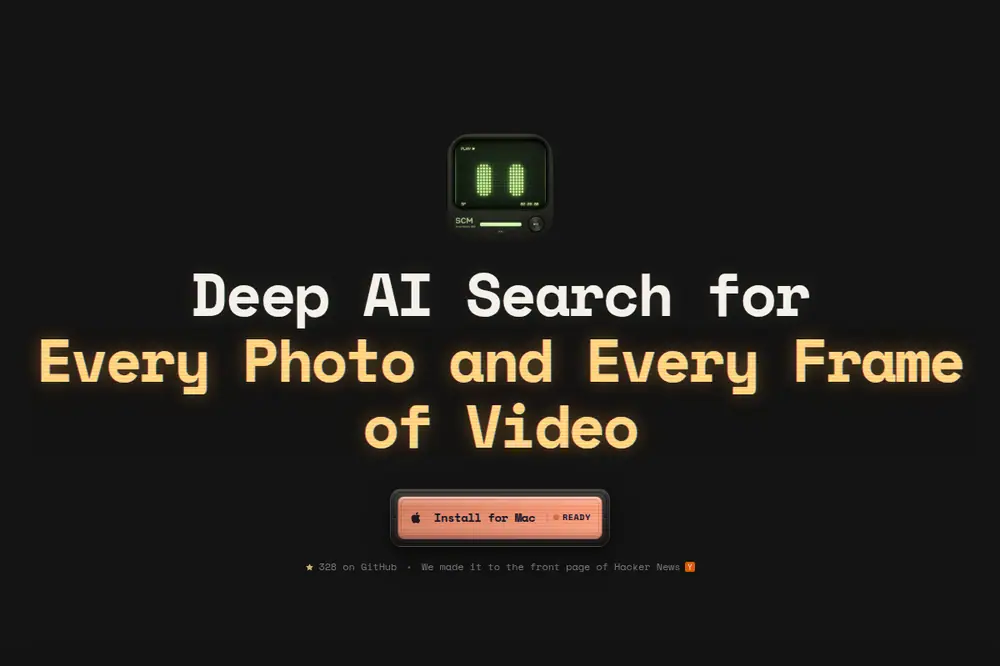
预览:Playwright 实拍 scm.allenlee.site 首屏 Preview: Playwright capture of scm.allenlee.site above the fold
打开原文Open source

详细介绍Details

SCM(Screen Memories,屏幕记忆)是一款只跑在你自己 Mac 上的找图应用。你用平常的话描述一张照片或一段画面,它就在你指定的文件夹里找:整张照片或整段视频、视频里的某一镜头、画面上印着的字、以及视频里说出口的原话。不需要账号,文件也不上传;识别在这台 Mac 上完成。第一次使用会下载视觉模型的权重(README 写默认大约 435MB),下完之后可以断网搜。安装走 Homebrew,README 写明面向苹果自研芯片的 Mac(M 系列)、系统 macOS 12 及以上。这是一条工具笔记:本库没有安装,也没有拿真实相册试过。 SCM (Screen Memories) is a find-your-photos app that runs only on your Mac. You describe a picture or a moment in ordinary words and it looks through folders you choose: a whole photo or video, one shot inside a video, words printed on the picture, or the exact words spoken in a clip. No account, and the files are not uploaded; the matching happens on that Mac. The first run downloads vision-model weights (the README says the default is about 435MB); after that it can search offline. Install is Homebrew. The README says Apple-silicon Macs (M-series) and macOS 12 or newer. This is a tool tip: this library did not install it or try it on a real photo library.

它是什么What it is

SCM 是 Allen Lee 做的 Mac 桌面应用,名字展开是 Screen Memories(屏幕记忆)。它不把照片传上云,而是在你选定的文件夹里建一个本地索引,然后让你用一句人话去搜。README 把搜索分成五档,每档解决的问题不一样:Files 找整张照片或整段视频(靠视觉模型把句子和画面配上,这种模型叫 CLIP);Scenes 找视频里的一个镜头,结果上有时间码,点开就跳到那一秒;OCR 找画面上印着的字(认字程序是 Tesseract,README 写可以开英语和另外 35 种语言);Dialogue 找视频里说出口的原话(把声音转成文字的模型叫 Whisper);LLMs 是可选的本地聊天,只根据已经抽出来的对白、画面文字和文件名来答,并给出处,不打开就不会下载那份聊天模型。适合手里有大量本地素材、又不想把底片交出去的人。 SCM is Allen Lee’s Mac app. The name expands to Screen Memories. It does not upload your photos. It builds a local index of folders you pick, then lets you search with an ordinary sentence. The README splits search into five modes: Files finds a whole photo or video (a vision model called CLIP pairs the sentence with the picture); Scenes finds one shot inside a video and shows a timecode you can jump to; OCR finds words printed on the frame (the reader is Tesseract; the README says English plus 35 other language toggles); Dialogue finds the exact words spoken in a video (Whisper is the model that turns speech into text); LLMs is an optional local chat that answers only from dialogue, on-screen text, and filenames already extracted, and it cites them — the chat model is not downloaded until you turn the mode on. It is for people who have a lot of local footage and do not want to hand the originals to a cloud.

为什么推荐Why we recommend it Electron 是把网页技术包成桌面程序的壳)。README 与产品页列出的安装命令是 brew tap allenv0/scm;brew trust allenv0/scm;brew install --cask allenv0/scm/scm。五种搜索是 README 表格:Files(整张照片/视频按意思找,用 CLIP,也就是把一句话和画面配对的视觉模型)、Scenes(视频里的镜头,点开跳到时间码)、OCR(认出画面上的字;引擎是 Tesseract,这个开源程序负责认字;README 写英语加 35 种语言开关)、Dialogue(视频里的原话,用 Whisper,也就是把人话转成文字的模型)、LLMs(可选;对已经抽出的对白、画面文字和文件名做本地对话,回答带引用。README 写没在设置里打开就不会下载聊天模型)。收录理由:本机、无账号、用一句话搜照片和视频镜头,是具体能用的找图工具。边界:只按 README 的 Mac 安装路径记;默认权重大小、语言数量和聊天模型体积都是 README 数字,本库没有自己称过。未执行 brew、未安装、未索引任何相册。 Electron is the shell that wraps web tech into a desktop app). The install lines on the README and the product page are brew tap allenv0/scm; brew trust allenv0/scm; brew install --cask allenv0/scm/scm. The five modes are the README table: Files (whole photos/videos by meaning, using CLIP — a vision model that pairs a sentence with a picture), Scenes (a shot inside a video, open it and jump to the timecode), OCR (read words painted on the frame; the engine is Tesseract, the open-source program that does that reading; the README says English plus 35 language toggles), Dialogue (exact spoken words, via Whisper — a model that turns speech into text), LLMs (opt-in local chat over dialogue, on-screen text, and filenames already extracted, with citations. The README says the chat model is not downloaded until you turn it on in Settings). Why: a concrete local photo-and-video finder with no account. Boundary: the Mac install path is recorded as the README states it; default weight size, language count, and chat-model size are README figures, not measured here. brew was not run, the app was not installed, and no photo library was indexed.

核验记录:来源、抓取与截图说明Verification log: sources, checks, and captures

主源是产品页 https://scm.allenlee.site(撰写时 HTTP 200)、仓库 allenv0/SCM(撰写时 gh api:MIT、主语言 JavaScript、创建于 2026-10-03T16:11:55Z、329★、GitHub Releases 列表长度 0;package.json 版本号 0.2.4,依赖 electron ^43.7.0。Show HN item 49952111(标题 Show HN: AI search for every photo and every frame of video on macOS,2026-10-04T09:24:52.000Z / 约 2026-10-04 17:24 CST,撰写时 HN 页面与 Algolia 均为 154pts;当时不在 HN 首页 HTML 里(产品页仍写着上过首页))。Homebrew tap 仓库 https://github.com/allenv0/homebrew-scm 可打开。预览为 Playwright 实拍产品页首屏裁 3:2 WebP(截图时页面角标为 328★,撰写时 gh api 为 329★)。不打星。Primary sources are https://scm.allenlee.site (HTTP 200 at write time) and repo allenv0/SCM (gh api at write time: MIT, primary language JavaScript, created 2026-10-03T16:11:55Z, 329★, GitHub Releases list length 0; package.json version 0.2.4, dependency electron ^43.7.0. Show HN item 49952111 (title Show HN: AI search for every photo and every frame of video on macOS, 2026-10-04T09:24:52.000Z / about 17:24 CST on 2026-10-04, 154pts on both the HN page and Algolia at write time; not in the HN front-page HTML then (the product page still says it made the front page)). The Homebrew tap repo https://github.com/allenv0/homebrew-scm opens. Preview is a Playwright capture of the product page above the fold, cropped to 3:2 WebP (the page badge read 328★ in that shot; gh api at write time was 329★). Unrated.

对照Contrast

左列是产品页和 README 写明的事实。右列是本站口径:为什么放进 Cases,以及不要把它当成已经替你装好的 Grok Bot 技能。 Left: what the product page and README state. Right: this library’s framing — why it is in Cases, and why it is not a Grok Bot skill we already installed for you.

SCM SCM 对照本站口径 This library’s framing

是什么 What it is

SCM SCM

本机 Mac 应用:用一句话搜文件夹里的照片,以及视频里的某一帧。 A local Mac app: describe a photo, or one frame of a video, and search a folder.

对照本站口径 This library’s framing

Cases 里的 AI 工具笔记。补的是「找自己的素材」,不是又一篇聊天机器人教程。 An AI tool tip in Cases. It fills “find my own footage,” not another chatbot tutorial.

数据去哪 Where the files go

SCM SCM

作者称无账号、不上传、识别在 Mac 上;权重下一次,之后可离线。 The author says no account, no uploads, inference on the Mac; weights download once, then it can run offline.

对照本站口径 This library’s framing

这是作者承诺。本库没有安装程序,也没有审计它到底有没有向外发文件。 That is the author’s promise. This library did not install the app and did not audit whether it sends files out.

怎么装 How you install

SCM SCM

Homebrew 三条命令;README 写 Apple 芯片、macOS 12+。GitHub Releases 列表是空的。 Three Homebrew commands; the README says Apple silicon and macOS 12+. The GitHub Releases list is empty.

对照本站口径 This library’s framing

不要从本站下安装包。装之前自己看 tap 仓库。本库没有执行 brew。 Do not look for an installer on this site. Read the tap repo before you install. This library did not run brew.

怎么试Try it

  1. 先看产品页和 Show HN Read the product page and the Show HN first

    打开 scm.allenlee.site,看它怎么讲五种搜索和 Homebrew 安装。Show HN 讨论在 item 49952111。点数会变,以你打开当天为准。 Open scm.allenlee.site and see how it describes the five search modes and the Homebrew install. The Show HN thread is item 49952111. Point counts change — use whatever the thread shows when you open it.

  2. 对照仓库 README Cross-check the repo README

    读 allenv0/SCM 的 README:五种模式、默认视觉模型大约 435MB、可选的本地聊天,以及三条 brew 命令。安装包不在 GitHub Releases 里;tap 在 allenv0/homebrew-scm。 Read the allenv0/SCM README: the five modes, the default vision weights of about 435MB, the optional local chat, and the three brew commands. Installers are not in GitHub Releases; the tap is allenv0/homebrew-scm.

  3. 自己决定要不要装 Decide yourself whether to install

    三条命令是:brew tap allenv0/scm;brew trust allenv0/scm;brew install --cask allenv0/scm/scm。本库没有跑过这些命令,也没有把任何一个文件夹交给它索引。装之前想清楚:它会读你的照片和视频,并下载一份模型权重。 The three commands are brew tap allenv0/scm, brew trust allenv0/scm, and brew install --cask allenv0/scm/scm. This library did not run them and did not hand any folder to the indexer. Before you install, decide whether you want it reading your photos and videos and downloading model weights.

边界Boundaries

  • 本库未安装、未执行 brew、未用真实相册或视频试过任何一种搜索。 This library did not install it, did not run brew, and did not try any search mode on a real photo or video library.
  • README 写安装面向 Apple 芯片和 macOS 12 及以上。GitHub 上没有列出 Releases,不要等一个网页版。 The README says the install is for Apple silicon and macOS 12 or newer. GitHub lists no Releases — there is no web app to wait for.
  • 默认视觉模型大约 435MB、OCR 的 35 种语言、可选聊天模型的体积,都是 README 里的数字,本库没有自己称过或跑过。 The default vision weights of about 435MB, the 35 OCR languages, and the optional chat-model sizes are README figures. This library did not measure or run them.
  • 「不上传、可离线」是作者的说法。本库没有审计安装包会不会联网。 “No uploads, works offline” is the author’s claim. This library did not audit whether the installed app phones home.

相关案例Related cases