详细介绍Details
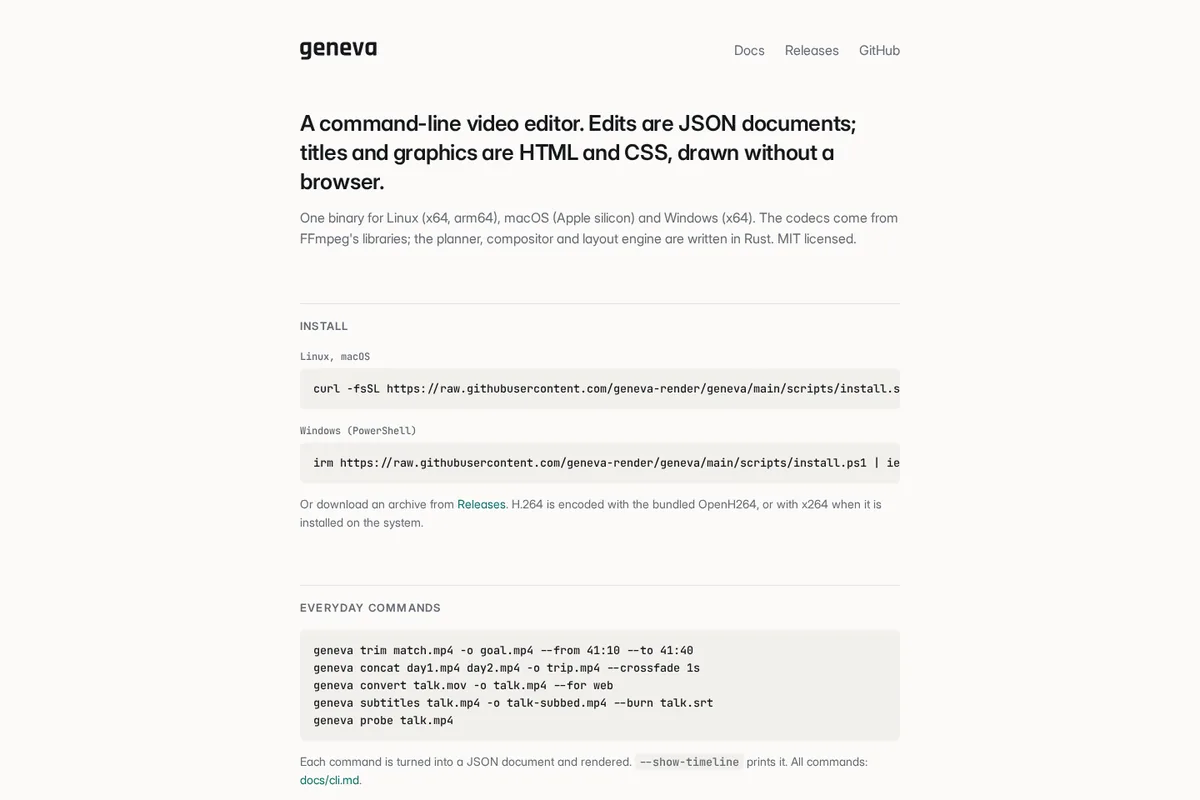
Geneva 是 MIT 开源的命令行视频工具:裁剪、拼接、转码、烧字幕等日常操作写成 JSON 时间线再渲染;片名卡和动效用普通 HTML/CSS(Flex、渐变、keyframes 等),官网写明不用浏览器也可出片。二进制覆盖 Linux / macOS Apple silicon / Windows,编码走 FFmpeg 库。文档有 `geneva guide`、JSON schema 和给脚本/Agent 用的说明。适合要批处理或让编程助手生成字幕条、片头,又不想上完整 NLE 的人。本库没有本机安装实测。 Geneva is an MIT CLI for video: everyday cuts, concat, convert, and burn-in subtitles become JSON timelines; lower-thirds and motion graphics are plain HTML/CSS (flex, gradients, keyframes, …) and the site says you can render without a browser. Binaries cover Linux, macOS Apple silicon, and Windows; codecs come from FFmpeg libraries. Docs include `geneva guide`, a JSON schema, and agent-oriented notes. Good when you want batch or agent-written titles without a full NLE. This library did not install or benchmark it locally.
为什么推荐Why we recommend it 主源官网与仓库 geneva-render/geneva。HTML/CSS 叠层、JSON 时间线、多平台二进制、Agent 文档均照官网。本库未安装二进制、未跑 benchmark。 Primary sources are the site and geneva-render/geneva. HTML/CSS overlays, JSON timelines, multi-platform binaries, and agent docs follow the site. This library did not install the binary or rerun benchmarks.
核验记录:来源、抓取与截图说明Verification log: sources, checks, and captures
2026-10-14 晚间:官网/仓库 HTTP 200;Algolia objectID 50086224;gh api stars=7 license=MIT;Playwright 截首屏→1200×800 WebP。Show HN https://news.ycombinator.com/item?id=50086224(2026-10-14T11:52Z,撰写时约 4 分)。晚间 gh api:MIT、7★,最近推送 2026-10-14。预览为 Playwright 实拍官网首屏,裁 3:2 WebP。2026-10-14 evening: site/repo HTTP 200; Algolia 50086224; gh api stars=7 MIT; Playwright hero → 1200×800 WebP. Show HN https://news.ycombinator.com/item?id=50086224 (2026-10-14T11:52Z, ~4 points at write time). Evening gh api: MIT, 7★, last push 2026-10-14. Preview is a Playwright capture of the home hero, cropped to a self-hosted 3:2 WebP.
上手路径How to start
- 先跑一次安全范围Run a safe first pass
先在可撤回、不外发的范围内试跑一遍,确认输出可用,再考虑扩大权限。 Try it first in a reversible, non-outbound scope. Confirm the output, then widen permissions.
- 存 SkillSave a Skill
把跑通的步骤存成 Skill,下次同类任务直接复用,而不是重新口述。 Save the working steps as a Skill so the next similar job reuses them instead of being re-explained.
- 再上 RoutineThen add a Routine
确认输出可靠后,再考虑定时或事件触发;例行默认仍应停在待审。 After output is reliable, consider a schedule or event trigger. Routines should still stop at review by default.