详细介绍Details
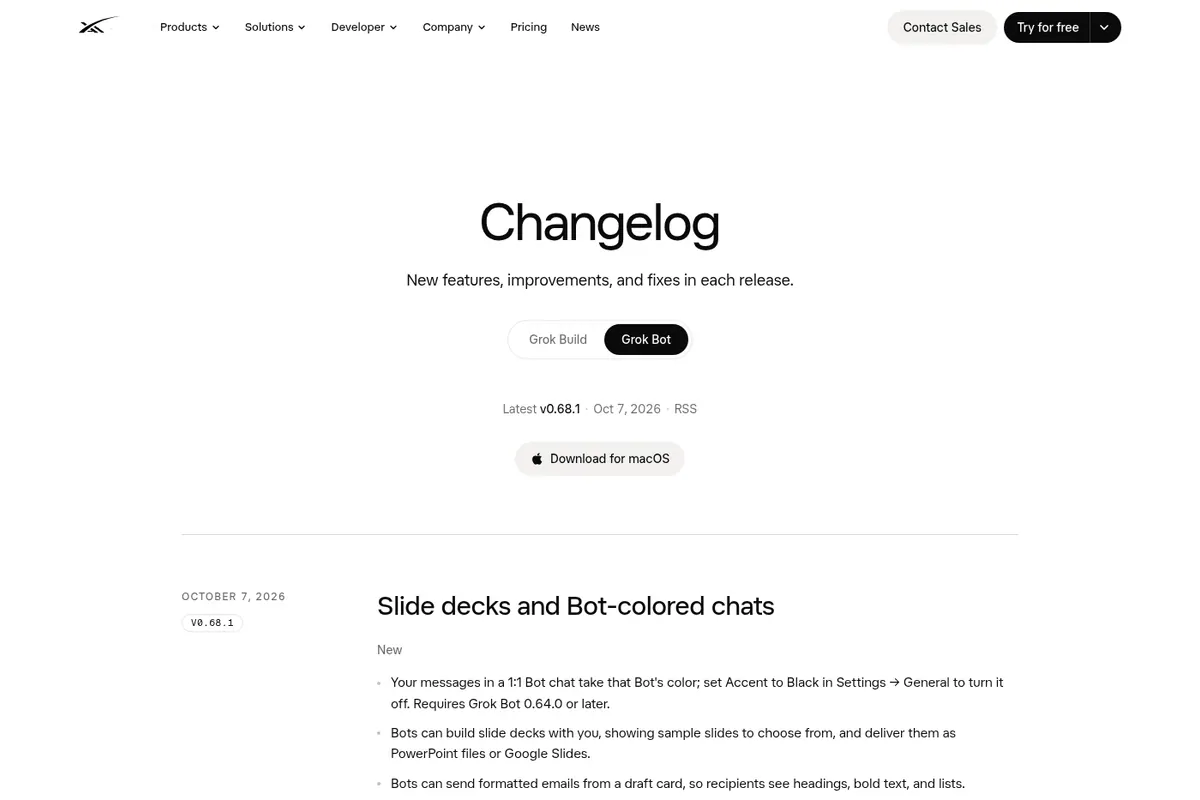
Grok Bot 官方更新日志 v0.68.1(2026-10-07)写:Bot 可以和你一起做幻灯片,会先给你看几张样张让你挑,最后交 PowerPoint 文件或 Google Slides。同一版还有:1 对 1 聊天里你的消息会变成那只 Bot 的颜色(设置里可关);Bot 能从草稿卡发带标题、加粗、列表的格式化邮件;Bot 的云电脑屏幕从 1280×800 变成 1920×1200。适合要做周报、提案、课程讲义但不想从空白页开始的人。怎么用:跟 Bot 说清主题、页数和给谁看,先选样张,再让它出文件。 The official Grok Bot changelog, v0.68.1 (2026-10-07), says Bots can build slide decks with you, showing sample slides to choose from, and deliver them as PowerPoint files or Google Slides. The same release: your messages in a 1:1 Bot chat take that Bot's color (can be turned off in Settings); Bots can send formatted emails with headings, bold, and lists from a draft card; and the Bot's cloud computer screen grows from 1280×800 to 1920×1200. Good for weekly reports, proposals, or course handouts when you don't want to start from a blank page. How to use it: tell the Bot the topic, slide count, and audience, pick a sample, then ask for the file.
为什么推荐Why we recommend it 收录理由:做幻灯片是很常见的活,而且是先挑样张、再出文件的流程,对设计向用户有用。本库这次没有实际让 Bot 做一份幻灯片,样张数量、版式风格和能否改字体配色,日志里没写。 Why it is listed: decks are a common job, and the pick-a-sample-then-export flow is useful for design-minded users. This library did not have a Bot build a deck this time; the changelog does not say how many samples you get, which layouts exist, or whether fonts and colors are editable.
核验记录:来源、抓取与截图说明Verification log: sources, checks, and captures
主源是官方更新日志 https://x.ai/changelog/bot ,早间 HTTP 200,最新版 v0.68.1,日期 Oct 7, 2026,标题 Slide decks and Bot-colored chats。预览为 Playwright 实拍更新日志首屏裁 3:2 WebP。Primary source is the official changelog https://x.ai/changelog/bot, HTTP 200 this morning, latest v0.68.1 dated Oct 7, 2026, titled Slide decks and Bot-colored chats. Preview is a Playwright capture of the changelog above the fold, cropped to 3:2 WebP.
上手路径How to start
审批边界Approval boundary 写进你的 Google Drive 或发给别人之前,先自己看一遍成品。 Review the deck yourself before it goes into your Google Drive or to anyone else.
- 先跑一次安全范围Run a safe first pass
先在可撤回、不外发的范围内试跑。本条未批准前:写进你的 Google Drive 或发给别人之前,先自己看一遍成品。。 Try it first in a reversible, non-outbound scope. Until approved: Review the deck yourself before it goes into your Google Drive or to anyone else..
- 存 SkillSave a Skill
把跑通的步骤存成 Skill,下次同类任务直接复用,而不是重新口述。 Save the working steps as a Skill so the next similar job reuses them instead of being re-explained.
- 再上 RoutineThen add a Routine
确认输出可靠后,再考虑定时或事件触发;例行默认仍应停在待审。 After output is reliable, consider a schedule or event trigger. Routines should still stop at review by default.