官方 Official 需审批 Needs approval 例行 Routine

Grok Bot 能连 Shopify,查订单、盯库存、改商品信息 Grok Bot connects to Shopify for orders, inventory, and listings

Grok Bot connects to Shopify for orders, inventory, and listings

连上 Shopify 之后,直接让 Bot 帮你看订单、库存和商品页。 Connect Shopify, then ask a Bot to check orders, inventory, and product listings.
Grok Bot 能连 Shopify,查订单、盯库存、改商品信息 预览
打开原文Open source

详细介绍Details

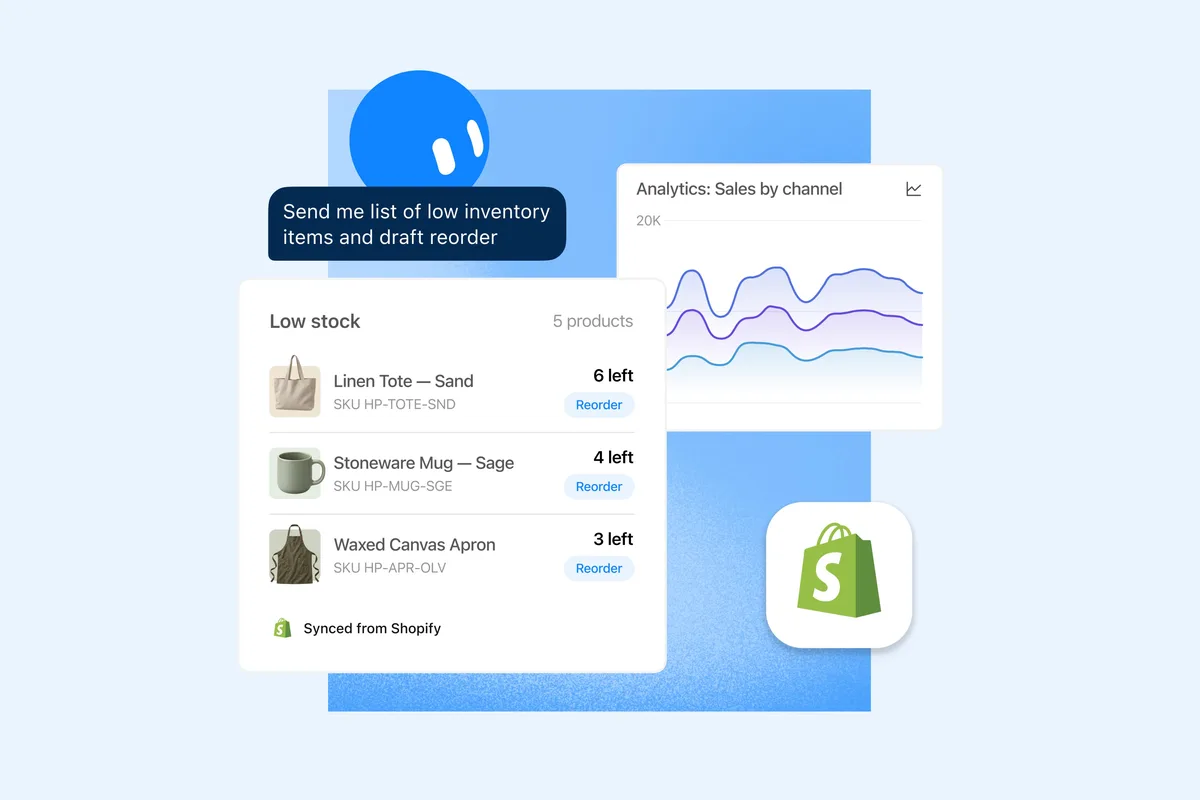
官方 @bot 2026-10-08T16:11Z(约 10-09 00:11 北京时间)发帖:Grok Bot 现在可以帮你管 Shopify 店。帖子原文:先连接 Shopify,再让它查订单、跟踪库存、更新商品信息。帖子引用了 Shopify 官方账号的相关说明,并附了一张产品图。怎么用:在 Grok Bot 里加上 Shopify 连接器(帖子语境是问 @bot 或在连接器里选 Shopify),授权后用自然语言下任务。适合已经在用 Shopify 开店、又想把查单和改商品这类重复活交给 Bot 的人。本库没有在官方 Grok Bot 文档里找到单独的 Shopify 连接器说明页;以这条官方推文为准。 Official @bot post at 2026-10-08T16:11Z (about 00:11 on 10-09 Beijing time): Grok Bot can now help run a Shopify store. The post says to connect Shopify, then ask it to check orders, track inventory, and keep product listings up to date. It quotes a related Shopify account post and includes a product image. How to use it: add the Shopify connector in Grok Bot (the post’s framing is asking @bot or picking Shopify in connectors), authorize, then give tasks in plain language. Good for Shopify merchants who want a Bot to handle repetitive order checks and listing updates. This library did not find a separate Shopify connector doc page in the official Grok Bot docs; the official tweet is the source of truth here.

为什么推荐Why we recommend it 收录理由:可复现的官方能力更新,电商店主能直接用。docs.x.ai/grok/connectors 列的是聊天版 Grok 连接器,未出现 Shopify;Grok Bot overview 页早间也未检出 Shopify 字样,故边界写清:以推文为准,具体权限、计费和可改字段本库未实测。 Why it is listed: a reproducible official capability update shop owners can use. docs.x.ai/grok/connectors lists chat-Grok connectors and does not show Shopify; the Grok Bot overview page also had no Shopify mention this morning, so the boundary is clear: the tweet is authoritative, and permissions, billing, and which fields can be edited were not tested.

核验记录:来源、抓取与截图说明Verification log: sources, checks, and captures

主源是官方 @bot 推文 https://x.com/bot/status/2108228871938359347 ,早间经 X API 与 fxtwitter 可读(约 698 万浏览、2151 赞,附产品图)。预览为官方推文配图裁 3:2 WebP。Primary source is the official @bot post https://x.com/bot/status/2108228871938359347, readable this morning via the X API and fxtwitter (about 6.98M views and 2,151 likes, with a product image). Preview is the official tweet image cropped to 3:2 WebP.

上手路径How to start

审批边界Approval boundary

改库存、改价格、改商品文案前要你点头;先用只读查单试,确认权限范围。 Confirm before changing inventory, prices, or listing copy; start with read-only order checks and verify scopes.

  1. 先跑一次安全范围Run a safe first pass

    先在可撤回、不外发的范围内试跑。本条未批准前:改库存、改价格、改商品文案前要你点头;先用只读查单试,确认权限范围。。 Try it first in a reversible, non-outbound scope. Until approved: Confirm before changing inventory, prices, or listing copy; start with read-only order checks and verify scopes..

  2. 存 SkillSave a Skill

    把跑通的步骤存成 Skill,下次同类任务直接复用,而不是重新口述。 Save the working steps as a Skill so the next similar job reuses them instead of being re-explained.

  3. 再上 RoutineThen add a Routine

    输出稳定后再打开例行 / 定时。本条已有例行形态,不要一上来就无人值守外发。 Turn on the routine / schedule only after output is stable. This item already has a routine shape — do not start unattended outbound.

相关案例Related cases