详细介绍Details
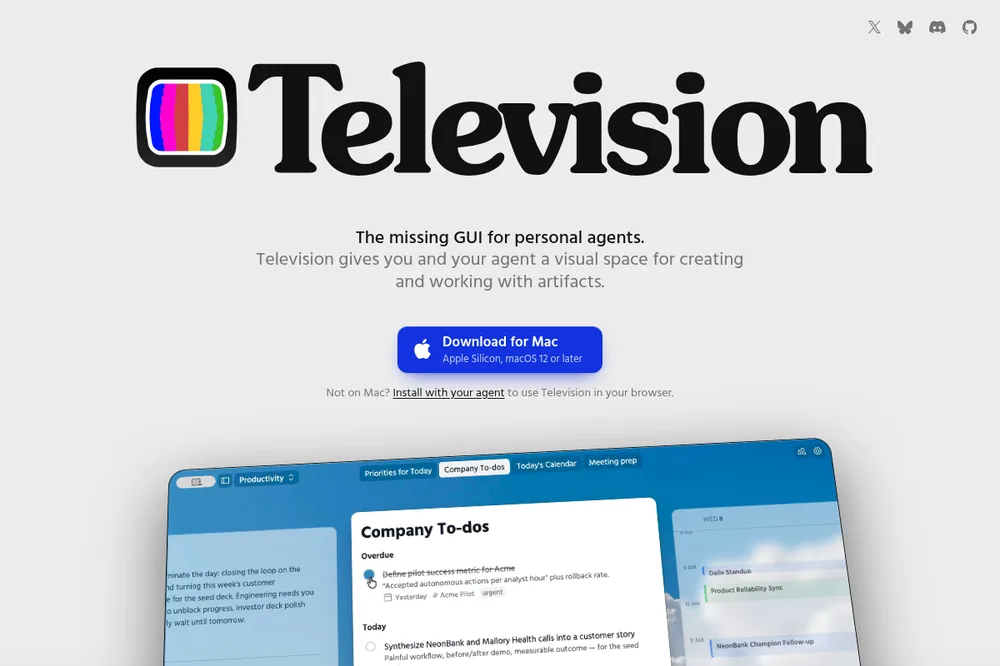
Television 是 Telepath 开源的「个人 Agent GUI」:你照常在 Claude Code、Codex、Hermes、OpenClaw、Pi、OpenCode 等 harness 里聊天,Agent 可以把文档、看板、日历、甚至可交互小应用做成 artifact,放到一台「电视」屏幕上持续改。仓库 telepath-computer/television,许可 MIT;产品页 television.run。macOS 有官方客户端(Apple Silicon,页面写 macOS 12+);非 Mac 可让 Agent 按 install 指南装 CLI/服务,再用浏览器打开(仓库写明浏览器有限制)。本条是工具笔记:未代装客户端、未登录 Discord、也未在本机跑完整 artifact 流程。 Television is Telepath’s open-source GUI for personal agents: you keep chatting in Claude Code, Codex, Hermes, OpenClaw, Pi, OpenCode, or similar harnesses, and the agent can pin documents, boards, calendars, or interactive mini-apps as artifacts on a persistent “TV” screen. Repo telepath-computer/television, MIT; product page television.run. There is a macOS client (Apple Silicon; the page says macOS 12+). Off Mac, you can have the agent follow the install guide for the CLI/server and open the browser UI (the repo notes browser limits). This is a tool tip: the client was not installed here, Discord was not joined, and a full artifact workflow was not run on this machine.
它是什么What it is
Television 是 Telepath 做的开源「个人 Agent 可视化工作台」。产品页叫它 missing GUI for personal agents:你还在原来的 harness 里聊天,Agent 通过 skill 把文档、看板、日历、可交互页面做成 artifact,钉在一台可主题化的「电视」上继续改。仓库 telepath-computer/television,README 标 MIT;安装分 macOS 客户端与非 Mac 的 Agent 引导装机(浏览器访问)。本站收成 Cases 工具笔记,因为今天刚公开仓库,适合想离开无限滚动聊天的人试。 Television is Telepath’s open-source visual workspace for personal agents. The product page calls it the missing GUI for personal agents: you keep chatting in your existing harness while the agent uses skills to pin documents, boards, calendars, or interactive pages as artifacts on a themeable “TV” and keep editing them. Repo telepath-computer/television; README says MIT. Install is a macOS client, or an agent-guided setup off Mac that opens in the browser. Listed here as a Cases tool tip because the repo just went public — for people who want less infinite chat scroll.
为什么推荐Why we recommend it 收录理由:作者称今日刚把仓库公开;与本站 Agent 产物 / HTML artifact 兴趣相邻,又不是又一个聊天框。边界:Agent 需跑在 Linux / macOS;Windows harness 官方写暂不支持;macOS 客户端下载链指向 todesktop;浏览器模式有限制;contrib 仍走内部 spec 流程。本库未代装、未接真实 harness、未核 Discord。 Why: the authors say the repo just opened to the public; it sits next to this site’s interest in agent artifacts / HTML without being another chat box. Boundary: the agent must run on Linux / macOS; Windows harnesses are officially unsupported for now; the macOS client download goes through todesktop; browser mode has limits; outside contributions still use an internal spec process. Not installed here, not wired to a real harness, Discord not checked.
核验记录:来源、抓取与截图说明Verification log: sources, checks, and captures
主源是产品页 https://television.run/(晚间 HTTP 200)、仓库 telepath-computer/television(晚间 gh api:描述与 homepage 对得上;GitHub license 字段为 NOASSERTION,README / badge 写 MIT,以 README 为准)、Show HN item 49939817(2026-10-02T23:25:04Z / 约 2026-10-03 07:25 CST,Algolia 晚间核对 6pts)、介绍博文 https://telepath.computer/blog/introducing-television/(HTTP 200,日期 2026-06-01,当时仍是邀请制 alpha)。预览 Playwright 实拍产品页首屏 3:2。不打星。Primary sources are https://television.run/ (evening HTTP 200), repo telepath-computer/television (evening gh api: description and homepage match; GitHub license field is NOASSERTION while README / badge say MIT — treat README as source of truth), Show HN item 49939817 (2026-10-02T23:25:04Z / about 2026-10-03 07:25 CST, 6pts on Algolia at the evening check), and https://telepath.computer/blog/introducing-television/ (HTTP 200, dated 2026-06-01, still invite-only alpha then). Preview is a Playwright 3:2 capture of the product page above the fold. Unrated.
对照Contrast
左列是产品页 / README 写明的事实。右列是本站口径:为什么放进 Cases,以及不要误当成已经替你接好 Cursor / Grok Bot。 Left: what the product page / README state. Right: this library’s framing — why it is in Cases, and why it is not a drop-in Cursor / Grok Bot integration.
Television Television 对照本站口径 This library’s framing
是什么 What it is
Television Television
个人 Agent 的 sidecar GUI:artifact 持久放在 TV 上,可交互、可主题化。 A sidecar GUI for personal agents: artifacts stay on the TV, interactive and themeable.
对照本站口径 This library’s framing
Cases「AI tool tip」。补的是屏幕与产物组织,不是又一个大模型聊天窗口。 An AI tool tip in Cases — adds a screen and artifact organization, not another LLM chat window.
怎么接 How it connects
Television Television
Agent 跑在 Linux / macOS;skill 教它往 TV 放东西。macOS 有客户端;其它平台可走浏览器(有限制)。 Agent on Linux / macOS; skills teach it to put things on the TV. macOS has a client; other platforms can use the browser (with limits).
对照本站口径 This library’s framing
不替代 Cursor Cloud Agent / Grok Bot 云电脑;本条也不代你下载 todesktop 包或改 harness 配置。 Does not replace Cursor Cloud Agents / Grok Bot cloud computers; this tip also does not download the todesktop package or rewrite your harness config.
开源边界 Open-source boundary
Television Television
仓库刚公开;README 欢迎 bug / 反馈,外部代码贡献仍走内部 spec 流程。 Repo just opened; README welcomes bugs / feedback, while outside code contributions still use an internal spec process.
对照本站口径 This library’s framing
早期可用,但别当成熟生态。Windows harness 官方暂不支持。 Early and usable, not a mature ecosystem. Windows harnesses are officially unsupported for now.
怎么试Try it
- 先看产品页和 Show HN Read the product page and the Show HN first
打开 television.run,确认「Download for Mac」与「Install with your agent」两条路径。Show HN item 49939817 写明仓库今日公开;点数以你打开当天为准,本站晚间核对是 6pts。 Open television.run and note the Download for Mac vs Install with your agent paths. Show HN item 49939817 says the repo opened today; point counts change — this library’s evening check saw 6pts.
Television 产品页 Television product page Show HN 讨论 Show HN thread
- 对照仓库 README Cross-check the repo README
读 telepath-computer/television:前置 harness、Linux/macOS、从源码 build、以及浏览器限制。安装指引另见 television.run/install.md。 Read telepath-computer/television for harness prerequisites, Linux/macOS, building from source, and browser limits. Install guidance is also at television.run/install.md.
GitHub 仓库 GitHub repo install.md install.md
- 自己决定要不要装 Decide yourself whether to install
Mac 可下官方客户端;非 Mac 把安装提示贴进你的 Agent。本站没有代装,也没有把真实项目钉上 TV。装之前想清楚屏幕上会不会漏出密钥或未脱敏内容。 On Mac you can download the official client; off Mac, paste the install prompt into your agent. This site did not install it or pin a real project to a TV. Before you do, decide whether secrets or unredacted material could land on the screen.
Telepath 介绍博文 Telepath intro post
边界Boundaries
- 需要已有 coding / personal agent harness;Windows 上的 Agent 官方暂不支持。 Needs an existing coding / personal agent harness; agents on Windows are officially unsupported for now.
- 浏览器模式有限制;外部网页类 artifact 更吃 macOS 客户端。 Browser mode has limits; artifacts that load external web pages lean on the macOS client.
- 本库未代装、未接 harness、未核 Discord;贡献流程仍偏内部。 This library did not install it, wire a harness, or check Discord; contribution flow is still mostly internal.