详细介绍Details
Gamma 的帮助中心已经在用 Gamma 5 这个名字说明现在的做法。新建时先跟 AI 助手对话:你说要做什么,回答几个问题,它做出整份演示、文档或网页。旧的经典生成器还在,仪表盘上点 Use classic generator。编辑器有两种模式:自己点进卡片改,或者切到 AI 编辑,点中某一个元素再下指令。帮助中心写,AI 编辑会记住你一开始的目标,小改动只动那一块。导入也改过:在 Gamma 5 里,PowerPoint 和 PDF 可以保留原来的版式,并且还能改;经典生成器只导入文字。主题改成跟文件走,改一个文件的颜色和字体不会波及别的文件。形状可以当自由块拖到幻灯片上。本库没有找到 gamma.app 上单独的 Gamma 5 发布博文,也没有登录生成过一份演示。 Gamma’s help center now uses the name Gamma 5 for the current product. A new piece starts as a conversation with the AI agent: you say what you are making, answer a few questions, and it builds the deck, document, or page. The older classic generator is still there, under Use classic generator on the dashboard. The editor has two modes: click into a card and edit it yourself, or switch to AI editing, select one element, and give an instruction. The help center says AI editing keeps your original goal, so a small fix stays on that part. Import changed too: in Gamma 5, PowerPoint and PDF files can keep their original layouts and stay editable. The classic generator imports text only. Themes now live on the file, so changing colors and type on one file does not change the others. Shapes can be dragged onto a slide as free blocks. This library did not find a standalone Gamma 5 launch post on gamma.app, and did not sign in to generate a deck.
它是什么What it is
Gamma 用来把一份想法做成演示、文档或网页。帮助中心现在把新的做法叫做 Gamma 5:你不是先填一个长表单,而是先跟助手说话,它问几个问题,然后做出整份材料。做完以后可以自己改,也可以切到 AI 编辑,点中一张卡片或一个元素,让它只动那一块。帮助中心写它会记住你最初的目标,所以后面的小修改不会把整份重写掉。你也可以把已经做好的 PowerPoint 或 PDF 导进去。Gamma 5 的导入会尽量留下原来的版式,导进来之后还能改。如果走旧的经典生成器,它只拿走文字,不拿版式。主题(颜色、字体、标志、圆角和阴影)现在属于这一份文件。改这一份,不会把工作区里其他文件一起改掉。形状可以像贴纸一样拖到幻灯片的任意位置,帮助中心把它叫做自由块。 Gamma turns an idea into a deck, a document, or a web page. The help center now calls the current way Gamma 5. You do not start with a long form. You talk to the agent, it asks a few questions, and it builds the piece. After that you can edit it yourself, or switch to AI editing, click a card or one element, and ask it to change only that. The help center says it keeps your original goal, so a later small fix does not rewrite the whole piece. You can also bring in a PowerPoint or PDF you already have. Gamma 5’s import tries to keep the original layout, and the result stays editable. The older classic generator takes the text only, not the layout. A theme — colors, type, logo, corners, and shadows — now belongs to that one file. Changing it does not restyle every other file in the workspace. Shapes can be dragged anywhere on a slide. The help center calls that a freeform block.
为什么推荐Why we recommend it 没有找到 gamma.app/insights 上的 Gamma 5 发布文。检索到的 gamma.app 自己的文章仍是 2025-09-15 的 Gamma 3.0。因此本条只采用帮助中心,不采用通讯社稿里的用户规模和准确率。这些页面没有标出一份统一的发布日期,也没有 Gamma 5 的价格。本库未登录、未生成、未导入文件。 No Gamma 5 launch post was found on gamma.app/insights. The Gamma article that search returned on gamma.app itself is still Gamma 3.0 from 2025-09-15. This entry therefore follows the help center only, and does not use user counts or accuracy figures from press republications. It says the Gamma 5 editor has manual editing and AI editing, toggled at the top left, with an Original / Modified compare. Changes from one request are accepted together. These pages do not share one launch date, and they do not state a Gamma 5 price. This library did not sign in, did not generate a deck, and did not import a file.
核验记录:来源、抓取与截图说明Verification log: sources, checks, and captures
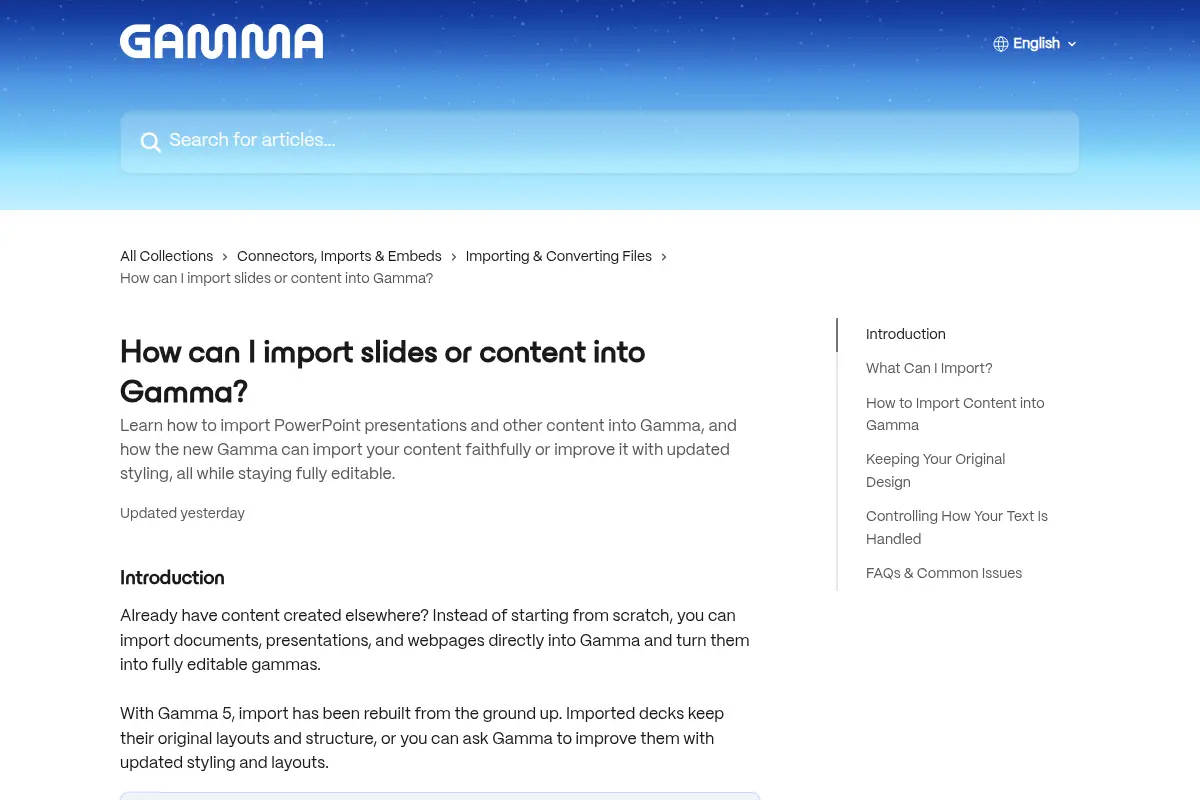
撰写时 gamma.app 首页 HTML 也没有 Gamma 5 这几个字。帮助中心撰写时均为 HTTP 200:新建文 https://help.gamma.app/en/articles/7838093-how-do-i-create-a-new-presentation-document-or-webpage-in-gamma (页内 Updated yesterday,相对 2026-10-07 的抓取)写明 Creating in Gamma 5 starts with a conversation,经典生成器仍在。编辑文 https://help.gamma.app/en/articles/8033284-how-do-i-edit-my-content-with-ai 页内 Updated today,写 AI editing has been rebuilt,记住最初目标,小改不重做整份;Gamma 5 编辑器有 manual editing 与 AI editing 两种模式,左上角切换;改完可用 Original / Modified 对比,一次请求的改动一起接受,不能逐条挑。导入文 https://help.gamma.app/en/articles/11047840-how-can-i-import-slides-or-content-into-gamma 写 Gamma 5 的导入重做过,PowerPoint 与 PDF 保留版式且可编辑;pptx / docx 单文件上限 200 MB,PDF 100 MB;部分图表会变成静态图;经典生成器只导入文字;Excel 与 Keynote 不能直接导入。主题文 https://help.gamma.app/en/articles/11029150-how-do-i-customize-themes-colors-and-fonts-in-gamma 写主题跟文件走,可调颜色、字体、标志、形状描边阴影和 AI 图片风格。形状文 https://help.gamma.app/en/articles/16951068-what-are-shapes-and-how-do-i-use-them 写形状是 freeform block,可拖到任意位置。预览为 Chrome 实拍导入帮助文首屏裁 3:2 WebP,图中能看到 Gamma 5 和 Updated yesterday。不打星。The gamma.app homepage HTML at write time also did not contain the words Gamma 5. Help pages returned HTTP 200 at write time. The create article https://help.gamma.app/en/articles/7838093-how-do-i-create-a-new-presentation-document-or-webpage-in-gamma (on-page Updated yesterday, relative to a fetch on 2026-10-07) says creating in Gamma 5 starts with a conversation, and the classic generator remains. The edit article https://help.gamma.app/en/articles/8033284-how-do-i-edit-my-content-with-ai says Updated today, that AI editing has been rebuilt, that the original goal is kept, and that a small fix does not redo the whole piece. The import article https://help.gamma.app/en/articles/11047840-how-can-i-import-slides-or-content-into-gamma says Gamma 5 import was rebuilt, PowerPoint and PDF keep their layouts and stay editable, pptx / docx are up to 200 MB, PDFs up to 100 MB, some charts arrive as static images, the classic generator imports text only, and Excel and Keynote cannot be imported directly. The theme article https://help.gamma.app/en/articles/11029150-how-do-i-customize-themes-colors-and-fonts-in-gamma says themes live on the file and cover colors, fonts, logos, shape strokes and shadows, and AI image styles. The shapes article https://help.gamma.app/en/articles/16951068-what-are-shapes-and-how-do-i-use-them says a shape is a freeform block you can drag. Preview is a Chrome capture of the import article above the fold, cropped to 3:2 WebP; the shot shows Gamma 5 and Updated yesterday. Unrated.